Get Your Shopify Store Ready for Christmas: 6 Checks
Six checks before the holiday traffic: stock, delivery, gift cards, site search, mobile checkout and out-of-stock pages, with the exact places in Shopify.


What to check in Search Console, GA4 and your store week by week after a Shopify migration: indexing, redirects, metadata and a test order.
A migration does not end at go-live. The following weeks are when Google moves the old addresses to the new ones, and the expensive problems are the ones you cannot see on day one. The technical context behind the examples below is a migration of ~180 products with 408 prepared URL mappings (the BMWParts.bg case, September 2026). The checks are general and apply to any Shopify migration: what to check week by week, and what calls for action.
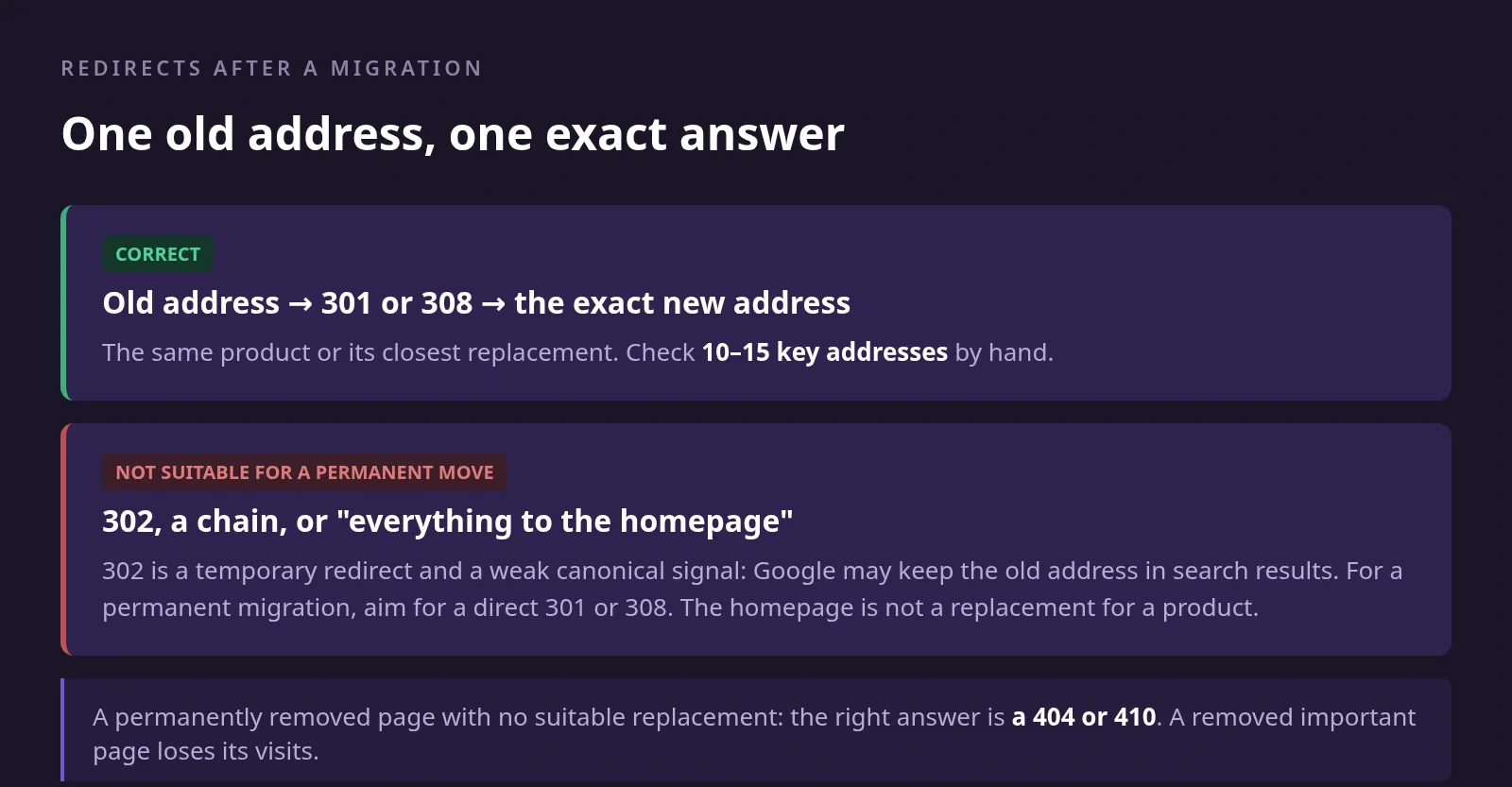
Open Search Console → Indexing → Pages. It shows how many addresses are indexed and why the rest are not. Check each group: match the 404s against the redirect map: deliberately removed addresses are expected, and the rest need a redirect when a suitable replacement page exists. If a page is permanently removed without a suitable replacement, the right answer is a 404 or 410. Keep in mind that a removed important page loses its visits. "Discovered – currently not indexed" is not an error by itself, but it is a list to keep an eye on.
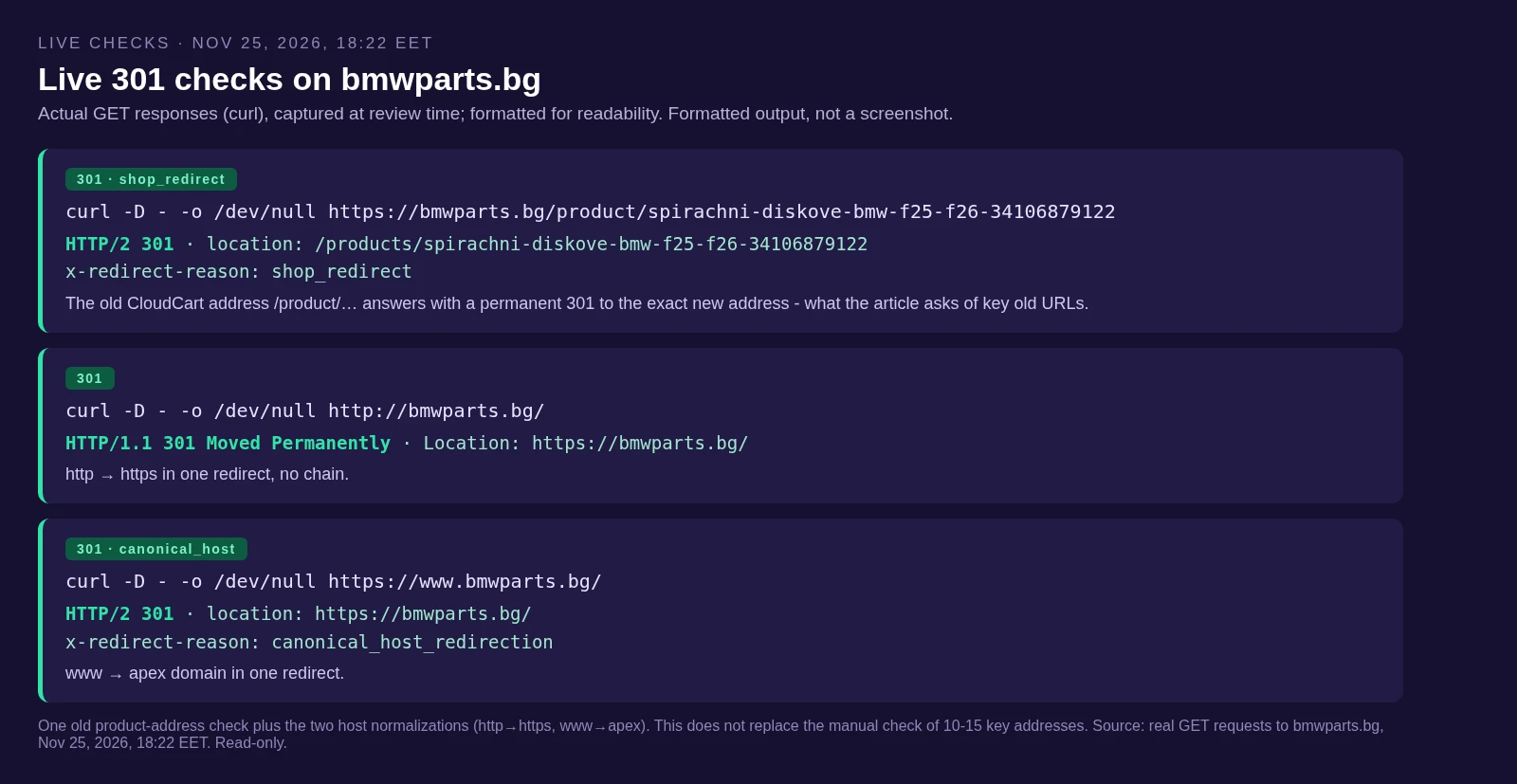
Then check 10–15 of your most important old addresses by hand. Each one must answer with a permanent redirect, 301 or 308, to the correct new address. Not a temporary 302, not a chain of two redirects, not a fallback to the homepage "just in case". How to build that map is covered in Redirect map and 301 redirects in a Shopify migration.
 Enlarge
Real GET responses from bmwparts.bg, Nov 25, 2026, 18:22 EET, formatted output of the real responses, not a screenshot: one old product-address check (301 to the exact new address) plus the two host normalizations (http → https and www → apex). Evidence from the check; it does not replace the manual check of 10-15 key addresses.
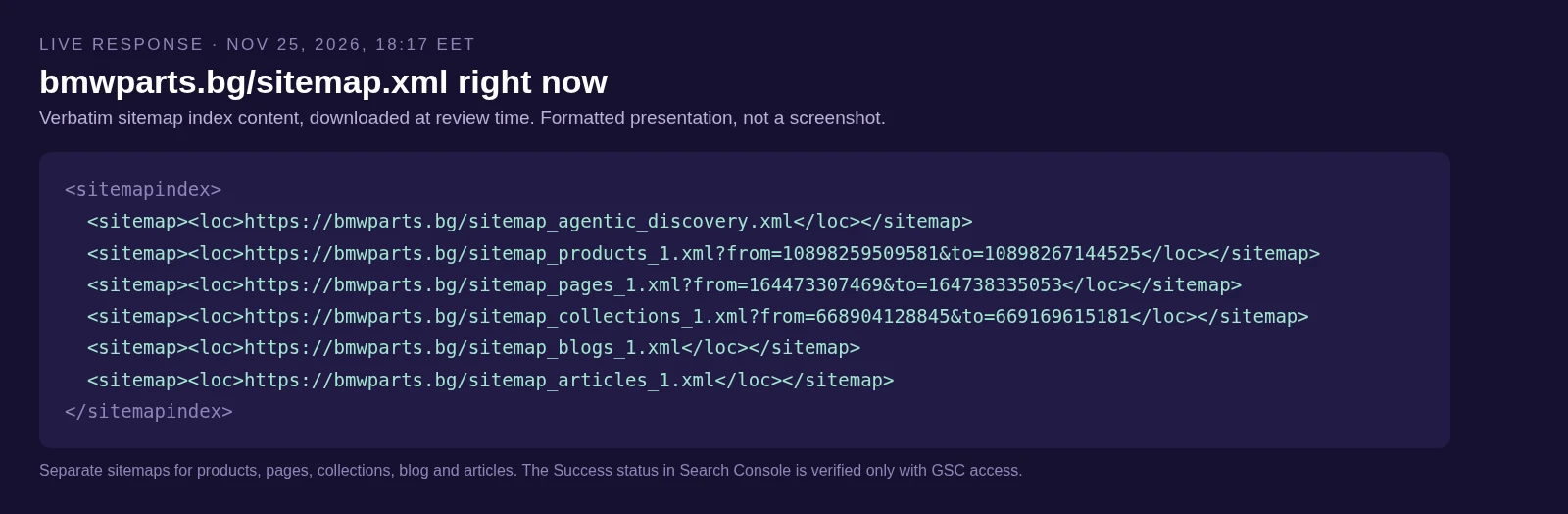
Submit the new sitemap and confirm its status is Success.
 Enlarge
The live content of bmwparts.bg/sitemap.xml, downloaded Nov 25, 2026, 18:17 EET (formatted presentation, not a screenshot).
 Enlarge
After a migration, the metadata of an important page can be left empty with nothing warning you. That is why, on top of the reports, the metadata of your most important pages gets checked with your eyes as well.
 Enlarge
Product page screenshot, captured Nov 25, 2026, 18:24 EET: the visible product content - title with the catalog number, availability, price and compatible models with a VIN check note. The HTML title and meta description are not visible in the frame; they were checked separately in the page source on Nov 25, 2026 and are filled in. The frame documents the eyes-on check, it is not evidence of an SEO result. Source: bmwparts.bg/products/spirachni-diskove-bmw-f25-f26-34106879122
Google describes temporary fluctuation in search visibility during a move as normal: the signals move from the old addresses to the new ones, and that takes time. Normal is not guaranteed, so it gets watched.
How to read the picture: in Performance, compare the address groups before and after. The old patterns (on CloudCart /product/, /article/, /vendor/) should fade while the new ones (/products/, /collections/, /blogs/) pick up the traffic. If weeks after launch the ratio is not moving that way, that is a signal to investigate: whether the redirects work, whether the old addresses drop out of the index, and what canonical signals the new pages send.
The signals to check right away are different:
GA4 does not configure itself. Check key events against real orders. A small number in GA4 alone proves nothing: only the comparison against real orders shows whether tracking is complete. If the purchase event is missing or miscounting, every later "data-driven" decision is wrong.
Domain email and DNS records are a separate test if the migration touched hosting or nameservers. Send and receive one email before declaring everything fine.
And place one real test order, including from a phone and with a pickup-office selection. These are the places that break in a platform change and show up in no report.
Position and CTR drift after a migration. A single number rarely tells the whole story, but in context it can be a serious signal. That is why you watch the direction over several weeks, not the daily numbers.
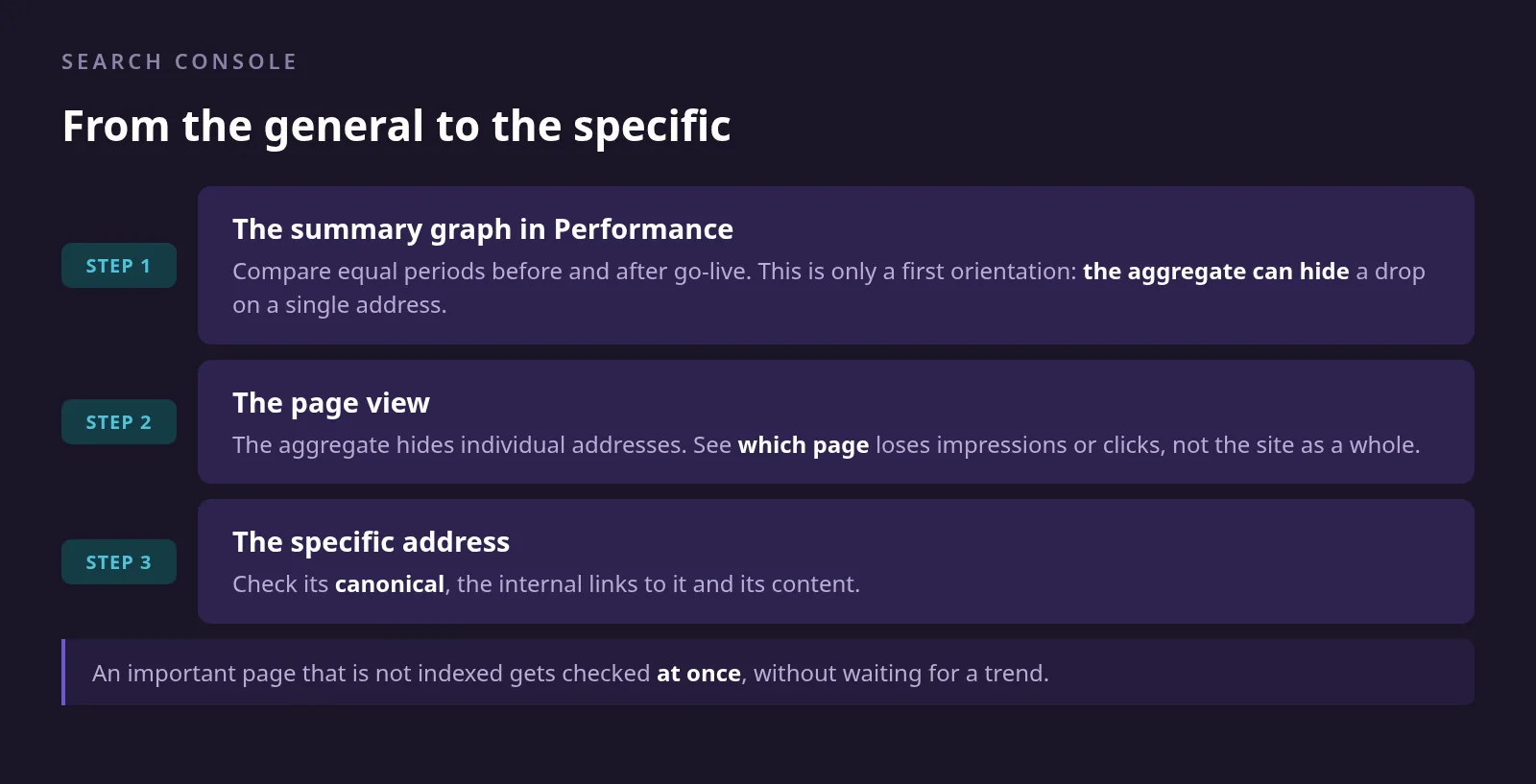
When to act: an important page that is not indexed gets checked as soon as you notice it, without waiting. The same for an old address that still brings visible clicks weeks after launch: a reason to check the redirect and the canonical, not a conclusion by itself. Then look at that specific page: canonical, internal links to it, content.
Google says the same about site moves with URL changes: the timing depends on the site, and you watch the data, not the calendar.
In Performance, compare the period after go-live with the same number of days before it. Watch clicks and impressions, but do not stop at the summary graph: it bundles all pages together and can hide a loss on a single address. Next, open the page view and check your most important addresses one by one.
 Enlarge
Such a comparison is a first check for a big problem, not proof of success. The two periods fall on different days of the year, and traffic depends on more than the migration: range, season, competition. Growth conclusions come after the technical base is clean, not from one graph.
The Change of address tool in Search Console is only for a domain change. For a platform migration on the same domain, which is what moving from CloudCart to Shopify is for most shops, it does nothing. The transfer happens through redirects and fresh indexing, not through this tool. This is also stated in the official documentation.
If the migration is still ahead of you, go through the pre-launch checks first; catching them before launch is cheaper. The technical run of such a migration is described in the BMWParts.bg case study.
It can happen, and Google describes it as normal: temporary fluctuation in search visibility during the move. For a medium-sized site the new addresses usually start replacing the old ones within a few weeks or more. If the picture is not moving that way after that, look for a concrete reason. The first places are the Pages report, the canonical choices and the metadata of important pages, but not the only ones: seasonality and competition play a role too.
Google gives no exact deadline. The orientation in the documentation: for a medium-sized site the new addresses start replacing the old ones within a few weeks or more, and larger sites take longer.
Start in this order: metadata of the homepage and top pages, the 404 errors in the Pages report, the addresses where Google chose a different canonical, then Performance per page: which page lost traffic, not the site "as a whole".
Six checks before the holiday traffic: stock, delivery, gift cards, site search, mobile checkout and out-of-stock pages, with the exact places in Shopify.
Prepare product data, catalogue structure, delivery, payments and old URLs for a Shopify migration. Define the scope and checks before switching stores.
Check catalogue data, delivery, payments and measurement before launching on Shopify. Record acceptance results and decide what to monitor after the switch.
Build an old-to-new URL map for a Shopify migration. Examples of 301 redirects, CSV mapping mistakes and checks to make after importing the redirect rules.
Products, variants, customers and content when moving to Shopify. Define the migration scope and identify data that needs a separate solution before import.
Practical lessons from migrating BMWParts.bg to Shopify: a courier integration, a catalogue with 114 BMW generations, payments and data checks.